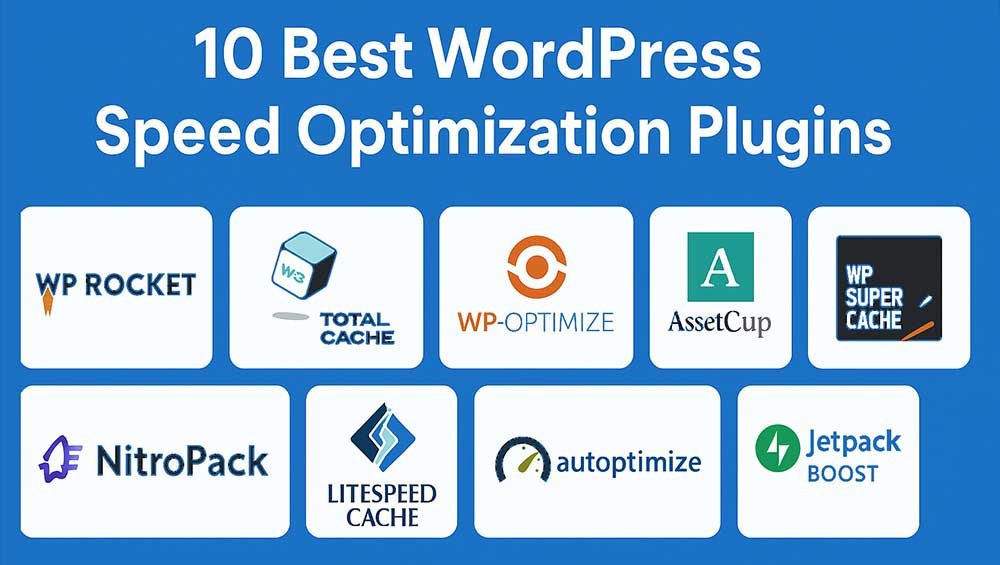
Top 10 Cache & Speed Plugins for WordPress (Fast Loading, Better SEO, Happier Visitors)
If your WordPress site feels slow, you’re not alone. One day it’s fine, then you add a couple plugins, upload more images, maybe switch a theme… and suddenly pages take forever. People don’t wait. They bounce. And when users bounce, rankings usually don’t get better.
That’s why cache and speed plugins matter. A good setup can turn a heavy, sluggish site into something that loads quickly on phones in Africa, laptops in Europe, and faster connections in America, without you becoming a “performance engineer.”
In this guide, you’ll get the top 10 cache & speed plugins for WordPress, explained in a real-world way. No confusing talk. Just what each plugin is good at, who it’s best for, and how to choose the right one.
If you want a step-by-step plan after installing a plugin, these pages can help:
WordPress Speed Optimization Guide and
Best WordPress Hosting.
First, What Does “Cache” Actually Do?
When someone visits your site, WordPress usually builds the page on the spot using PHP + database queries. That takes time. Caching plugins create a saved, ready-to-serve version of your page (often as static HTML). So instead of building everything again and again, your server serves a quick copy.
Speed plugins also help by reducing page weight and requests, like:
- Minifying CSS/JS/HTML
- Delaying non-critical scripts
- Optimizing images and lazy loading
- Reducing unused CSS
- Preloading cache so pages are fast even for first-time visitors
Want to see how Google views your speed? Use:
Google PageSpeed Insights.
How to Pick the Right Plugin (Without Overthinking It)
Here’s a simple way to choose:
- On LiteSpeed hosting? Start with LiteSpeed Cache.
- Want easiest “install and go” premium? WP Rocket is usually the smoothest.
- Want aggressive speed + Core Web Vitals focus? FlyingPress or NitroPack can be strong.
- Prefer free options? WP Super Cache, W3 Total Cache, WP Fastest Cache, and WP-Optimize are popular picks.
One more thing: don’t run two full caching plugins at the same time. That’s how people get weird layout issues, broken checkout pages, and “why is my site flashing unstyled?” problems.
Top 10 Cache & Speed Plugins for WordPress
1) WP Rocket (Premium)
WP Rocket is the plugin many people choose when they just want speed improvements without spending hours tweaking settings. It’s known for being beginner-friendly, but still powerful.
- Best for: Blogs, business sites, WooCommerce stores that want quick wins
- Why it’s loved: Page caching + preloading + extra optimizations in one place
- Good to know: Premium only, but it often replaces multiple smaller plugins
Real-life example: If you run a small service website and notice mobile users leaving fast, WP Rocket can help reduce load time with caching and smart loading behavior, without you touching code.
2) LiteSpeed Cache (Free, Best on LiteSpeed Servers)
LiteSpeed Cache can be extremely fast because it supports server-level caching when your hosting runs LiteSpeed. It also offers optimization features that many plugins charge for.
- Best for: Sites hosted on LiteSpeed or OpenLiteSpeed
- Why it’s loved: Powerful caching + optional CDN integration + lots of tuning options
- Good to know: If you’re not on LiteSpeed, some benefits won’t be as strong
Quick tip: If your hosting dashboard says LiteSpeed, this plugin is usually the first one to try.
3) FlyingPress (Premium, “Speed on Autopilot” Style)
FlyingPress is built around the idea of making WordPress fast without you babysitting settings. It’s popular among people chasing better Core Web Vitals scores.
- Best for: Content-heavy blogs, landing pages, sites needing strong front-end optimizations
- Why it’s loved: Page caching, remove unused CSS, delay JS, preload links
- Good to know: It’s premium, but designed to reduce plugin stacking
Real-life example: If your homepage has a big hero image, sliders, and multiple scripts, FlyingPress can help reduce “heavy” loading by delaying non-essential scripts until interaction.
4) NitroPack (Cloud-Based Optimization + Caching)
NitroPack is different because a lot of the optimization happens through its cloud system. It can deliver fast results, especially if you want a more hands-off approach.
- Best for: People who want strong speed scores fast, without deep technical work
- Why it’s loved: Caching, CDN, image optimization, critical CSS, minification
- Good to know: It’s an all-in-one approach, so you may not need extra speed plugins
Heads-up: Any all-in-one optimization system can sometimes need testing on dynamic pages like checkout, membership dashboards, and cart pages.
5) W3 Total Cache (Free, Powerful, More Technical)
W3 Total Cache is a long-time performance plugin that offers a lot of control. It can be great, but it’s not the “one-click magic” kind of tool.
- Best for: Advanced users, developers, sites with specific caching needs
- Why it’s loved: Many caching layers + CDN integration options
- Good to know: Wrong settings can hurt performance, so keep it simple at first
Practical approach: Enable page cache first, test, then slowly add minify and other features.
6) WP Super Cache (Free, Simple, Reliable)
WP Super Cache is a straightforward plugin that generates static HTML files. It’s easy to run and trusted by many WordPress users because it does the basic job well.
- Best for: Blogs, news sites, simple business websites
- Why it’s loved: Stable and simple caching that improves load time
- Good to know: Not an “all-in-one speed suite” like some premium options
7) WP Fastest Cache (Free + Premium Add-ons)
WP Fastest Cache is popular because it’s easy to set up and still offers useful features like cache preloading and basic file optimization, depending on your version.
- Best for: Beginners who want a clean dashboard and quick setup
- Why it’s loved: Simple caching with practical options
- Good to know: Some advanced features are premium
8) WP-Optimize (Caching + Database + Image Tools)
WP-Optimize is a “three-in-one” style plugin: caching, database cleanup, and image optimization tools. If your site feels bloated over time, this can be a helpful combo.
- Best for: Sites that need caching plus cleanup help
- Why it’s loved: A single plugin to handle multiple maintenance tasks
- Good to know: Always take a backup before heavy database cleanup
Real-life example: If your site has years of revisions, trashed posts, and leftover tables, cleaning things up can reduce load and backend lag.
9) Autoptimize (Front-End Optimization, Great Pairing Plugin)
Autoptimize focuses more on optimizing what loads in the browser: CSS, JavaScript, HTML, fonts, and images. It’s often used alongside a caching plugin.
- Best for: Sites that already have caching but need better front-end optimization
- Why it’s loved: Minify/aggregate, image lazy-load options, font optimization
- Good to know: Aggressive JS settings can break some themes, so test carefully
Smart pairing: Use a dedicated cache plugin (like WP Super Cache) + Autoptimize for front-end improvements.
10) Perfmatters (Speed Tweaks + Script Manager)
Perfmatters isn’t a traditional caching plugin. It’s a performance tool that helps reduce unnecessary load by disabling scripts and features you don’t need on certain pages.
- Best for: Sites overloaded with plugins, page builders, or heavy scripts
- Why it’s loved: Script Manager to disable CSS/JS per page, lightweight design
- Good to know: Works best when you already have caching handled
Real-life example: If a contact form plugin loads scripts on every page (even when the form is only on one page), Perfmatters helps stop that extra weight everywhere else.
A Simple “Best Combo” Setup (That Works for Most Sites)
If you want a clean setup without stacking too many tools, try one of these:
- Premium simple: WP Rocket alone (often enough for many sites)
- LiteSpeed hosting: LiteSpeed Cache + careful optimization settings
- Free route: WP Super Cache (or WP Fastest Cache) + Autoptimize
- Heavy site cleanup: WP-Optimize + a caching plugin (if needed)
And yes, speed also depends on hosting. If you’re on weak hosting, even the best plugin can only do so much. That’s why it’s worth reading:
Best WordPress Hosting.
Quick Q&A
Should I use more than one cache plugin?
No. Use one main caching plugin. You can add a separate optimization plugin (like Autoptimize or Perfmatters) if needed, but don’t run two full page-cache systems together.
Will a cache plugin improve SEO?
It can help, because faster pages improve user experience and often reduce bounce rates. But SEO still needs quality content, good structure, and useful pages people actually want to read. Speed is a strong support, not the whole story.
What pages should I exclude from cache?
Usually dynamic pages like:
- Cart
- Checkout
- My Account / Dashboard pages
- Membership or logged-in only pages
How do I know if my changes worked?
Test before and after using PageSpeed Insights, and also check real browsing on mobile. Speed scores matter, but real feel matters more. If you want to understand Google’s metrics, this guide is helpful:
Core Web Vitals (web.dev).
Final Thoughts
If you want the easiest path: choose one solid caching plugin, keep settings simple, test properly, and avoid installing “every speed plugin you see.” That’s the fastest way to break things.
Start with one of the top options above, then follow a clear plan:
WordPress Speed Optimization Guide.
Once your site is genuinely fast, you’ll notice something nice: visitors stay longer, pages feel smoother, and your website looks more trustworthy. That’s the kind of “SEO win” you can actually feel.
