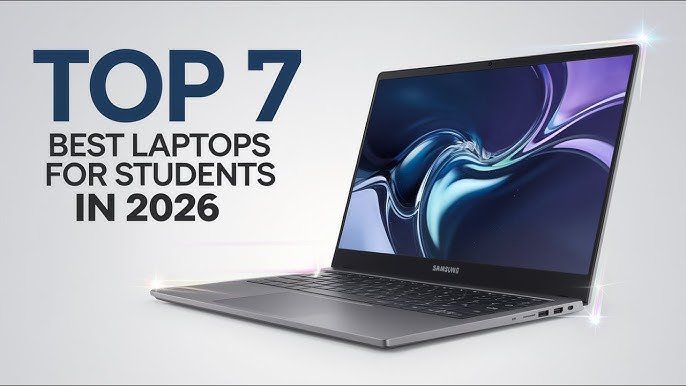
7 Best Laptops for Students in 2026 (By Budget)
Buying a laptop as a student is one of those decisions that feels small until it isn’t. One minute you’re thinking, “Any laptop is fine.” Next minute, you’re stuck with a slow machine that freezes during online classes, can’t hold a charge, and makes every assignment take twice as long.
Here’s the thing: in 2026, you don’t need a luxury laptop to study properly. You just need the right laptop for your budget and your daily routine. Whether you’re in the US, Europe, or Africa, the student life is the same in many ways: lectures, PDFs, Zoom or Meet calls, research, writing, and a little entertainment at night when your brain is done.
This guide breaks down the 7 best laptops for students in 2026, grouped by budget, with simple advice that actually helps you choose. No tech headache. Just real-world recommendations.
What students should look for in a laptop (quick checklist)
Before you pick a model, keep these basics in mind. They matter more than brand names.
- Battery life: If your laptop can’t survive classes and library time, it becomes stressful fast.
- Performance: For smooth studying, aim for at least a modern entry-level CPU and enough RAM to keep browsers from choking.
- RAM: 8GB is the minimum for most students in 2026. 16GB feels noticeably better if you multitask a lot.
- Storage: 256GB SSD is okay. 512GB is safer if you save videos, projects, or big files.
- Screen and keyboard: You’ll stare at the screen and type for hours. Comfort matters.
- Durability: Student bags, shared rooms, travel, and daily handling… your laptop will get tested.
If you also buy gadgets online (phones, accessories, laptops), this helps you avoid bad deals:
Smart Online Shopping: 10 Rules to Choose the Right Product.
7 Best Laptops for Students in 2026 (By Budget)
Important note: Prices change depending on the country, taxes, and sales. So think of these as “budget buckets.” The goal is to match the laptop type to your student needs.
1) Under $250: Refurbished ThinkPad (Best for tight budgets)
If your budget is really limited, don’t force yourself into a brand-new “cheap laptop” that feels slow from day one. A refurbished business laptop, especially a ThinkPad, can be a smarter buy. These machines were built for offices, so they’re usually tougher than the average budget model.
- Best for: Essays, research, Zoom/Meet, basic coding, light work
- Why students love it: Strong keyboards, good durability, often better performance than brand-new ultra-cheap laptops
- Smart tip: Buy from sellers who offer returns and a warranty
Real-life example: If you’re a student in Nigeria or Ghana and you mainly need Word, PDFs, Google Docs, and online classes, a refurbished ThinkPad can feel like a “serious laptop” without serious money.
2) Under $350: Acer Aspire 3 (Best basic new laptop)
The Acer Aspire line is popular because it hits that “good enough” student balance. It’s not fancy, but it’s practical, and you can often find decent specs for a fair price during seasonal sales.
- Best for: School assignments, browsing, presentations, online learning
- Why it works: Solid everyday performance when you choose the right spec
- Watch out: Don’t buy a model with very low RAM/storage if you can avoid it
3) Under $450: Lenovo IdeaPad (Best for everyday student life)
Lenovo’s IdeaPad models are everywhere for a reason. They’re usually lightweight, comfortable to use, and easy to recommend for students who want something reliable without overthinking it.
- Best for: Students who do a little bit of everything
- Why it’s great: Good balance of price, comfort, and performance
- Watch out: Compare screen quality; some budget variants have dull displays
4) Under $550: HP Pavilion / HP 15 series (Best for multitasking)
If you’re the kind of student who keeps 20 tabs open, runs Zoom, types an assignment, and still wants music playing, you’ll appreciate a laptop that handles multitasking without becoming a slow mess.
- Best for: Multitasking, study + content consumption, light creative work
- Why it stands out: Often comes with better all-round specs in this range
- Watch out: Battery varies by model, so check reviews before buying
5) Under $700: ASUS VivoBook (Best for style + practicality)
Some students want a laptop that feels modern and looks good without paying premium prices. The VivoBook line often hits that sweet spot. It’s usually light, clean-looking, and a good match for campus life.
- Best for: Students who want a slim laptop for school + daily use
- Why it works: Good performance in a lightweight body
- Watch out: Speakers and webcam quality can be average on some models
6) Under $900: MacBook Air (Best for long battery + smooth experience)
If you can stretch your budget, a MacBook Air can be a genuinely stress-free study machine. It boots fast, runs smooth, and the battery life is a big deal for students who move between classes, hostels, cafes, and libraries.
- Best for: Writing, research, note-taking, editing, long study sessions
- Why students love it: Great battery, smooth performance, strong build quality
- Watch out: Storage upgrades can be expensive, so plan wisely
If you’re curious about how macOS fits into the broader world of operating systems, here’s a simple overview:
macOS on Wikipedia.
7) Under $1,100: Dell XPS 13 / Premium Windows Ultrabook (Best “buy once, keep longer” choice)
Not every student needs this level, but if you can afford it, a premium ultrabook is the kind of laptop you can keep through school and beyond. If you’re doing heavier work like design, business presentations, coding, or you just want something that feels truly premium, this is where it starts.
- Best for: Students who want a long-term laptop that stays fast
- Why it’s worth it: Great screen, strong build, comfortable typing, premium feel
- Watch out: In some regions, pricing may be higher due to import costs
How to pick the right laptop for your course
Here’s a simple way to match your laptop to your studies:
- For Arts, Business, and General Studies: Any solid under-$450 laptop with an SSD and 8GB RAM can work well.
- For Computer Science / Coding: Try to aim for 16GB RAM if possible, especially if you run tools like Android Studio or Docker.
- For Design / Media: Focus on a better screen and stronger performance. Budget a bit more if you can.
- For Online Learning Heavy Students: Prioritize webcam quality, mic clarity, and battery life.
Q&A: Student laptop questions (straight answers)
Is 8GB RAM enough in 2026?
For basic student work, yes. But if you multitask heavily, run creative apps, or do programming with heavier tools, 16GB feels much better and lasts longer.
Should I buy a Chromebook?
If your school work is mostly browser-based (Google Docs, Classroom, web research), a Chromebook can be fine. But if you need specific software for your course, Windows or macOS is usually safer.
Is refurbished safe?
It can be a great deal if you buy from reputable sellers with returns and warranty. Refurbished business laptops can be more reliable than brand-new “ultra-cheap” laptops.
One simple habit that saves students money
Don’t buy a laptop just because it looks good in photos. Before you pay, search the exact model name and check user reviews. Battery complaints, heating issues, weak hinges, or bad keyboards show up quickly when you read real feedback.
And if you’re planning to use your laptop for skill-building or side income, this guide can help you choose what to learn next:
10 High-Income Skills You Can Learn in 30 Days.
Final thoughts: The best student laptop is the one that reduces stress
A laptop shouldn’t make your life harder. The best laptop for students in 2026 is the one that starts fast, doesn’t freeze during study sessions, and lasts long enough to keep up with your day. Pick a budget range, choose the most balanced option in that range, and don’t ignore battery life and comfort.
If you want, I can also write a follow-up article like “Best Laptops Under $400 in 2026” or “Best Laptops for Students in Africa (By Price Range)” for even more targeted SEO traffic.
For general guidance on improving page SEO and making content easier for Google to understand, Google’s own documentation is a trustworthy place to learn:
Google SEO Starter Guide.
